Six layers between
your data and the world
Terminal Biographer captures everything you do. That means security isn’t a feature. It’s the foundation. Every event is encrypted before it touches disk. Every request is authenticated. Every transfer is protected.
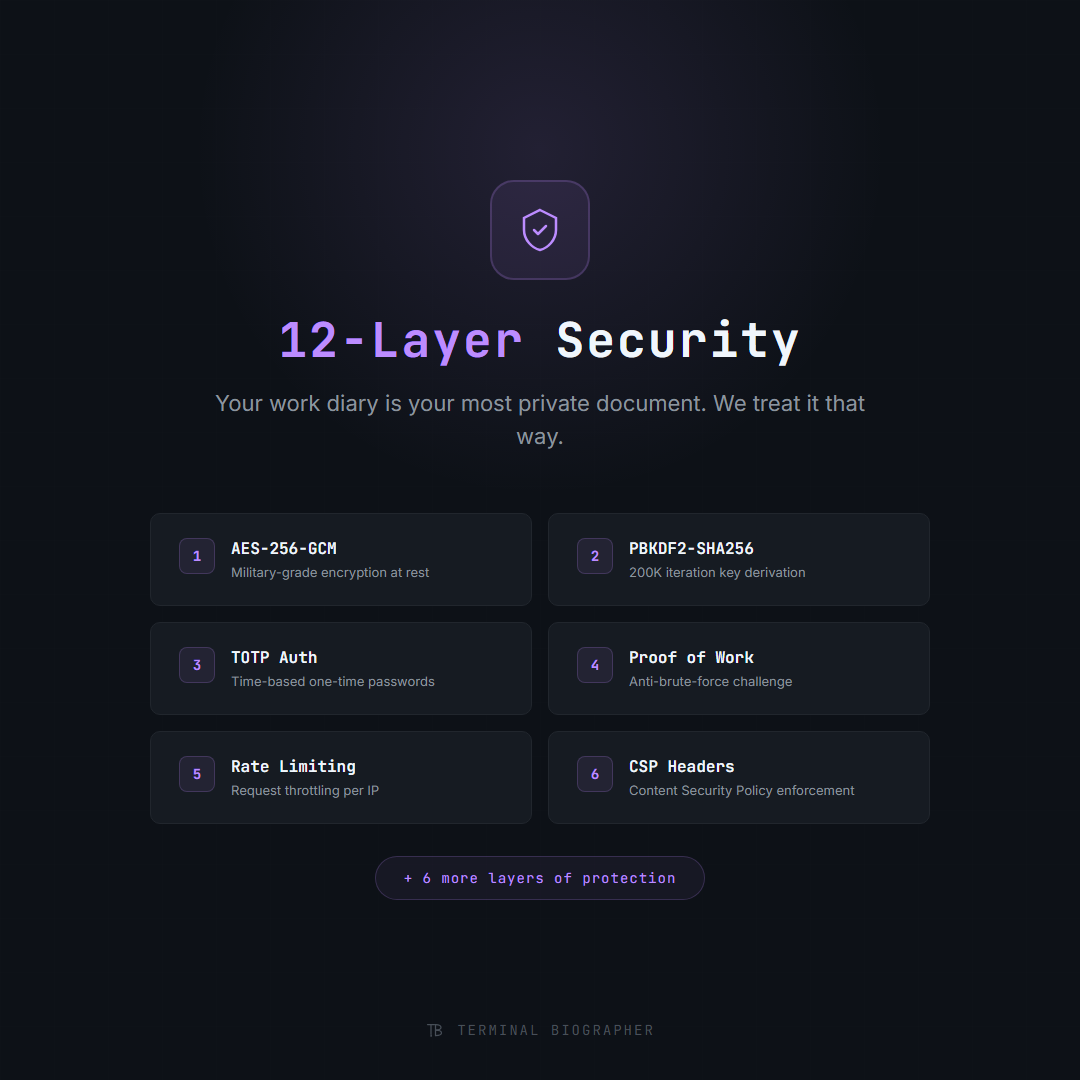
Every layer matters
Each security layer addresses a different threat vector. Together, they create a defense-in-depth architecture that protects your data at rest, in transit, and during authentication.
AES-256-GCM Encryption at Rest
Every event, summary, and configuration file is encrypted with AES-256-GCM before writing to disk. This is the same encryption standard used by governments and militaries worldwide. GCM mode provides both confidentiality and authenticity, meaning your data can’t be read or tampered with without the key.
PBKDF2 Key Derivation
Your master password is never stored. Instead, it’s transformed into an encryption key through PBKDF2 with 600,000 iterations of SHA-256. This deliberate slowness makes brute-force attacks computationally infeasible. Even if an attacker obtains your encrypted data, deriving the key from a guessed password takes seconds per attempt.
TOTP Authentication
Time-based One-Time Passwords add a second factor beyond your master password. Each code is valid for 30 seconds, generated by your authenticator app (Google Authenticator, Authy, 1Password). Even if your password is compromised, an attacker still can’t access your data without your phone.
Proof-of-Work Auth Barrier
Before authentication even begins, clients must solve a computational puzzle. This prevents automated attacks from hammering the auth endpoint. Each puzzle takes ~200ms for a legitimate client but makes mass brute-force attempts prohibitively expensive.
Adaptive Rate Limiting
Request throttling that adapts based on behavior. Normal usage is unaffected. Repeated failed auth attempts trigger progressive delays. Sustained abuse results in temporary IP blocking. The system learns the difference between a user who mistyped their password and an attacker running a credential list.
Content Security Policy Headers
Strict CSP headers prevent XSS, clickjacking, and content injection attacks against the web UI. Every resource loaded by the app must come from an explicitly whitelisted source. Inline scripts are blocked. Frame embedding is prevented. The attack surface for browser-based exploits is minimized.
How your data moves
From capture to storage, every step is encrypted. Here’s the path your data takes through the system.
Terminal / Editor / AI Chat
Raw events captured in real-time
AES-256-GCM Encrypt
Encrypted before touching disk
Local Encrypted Storage
JSONL files, encrypted at rest
Supabase Cloud Sync
End-to-end encrypted, server never sees plaintext
Mobile / Other Devices
Decrypted locally with your master key
How we compare
Most developer tools don’t even offer encryption. Terminal Biographer was built security-first from day one.
| Capability | Terminal Biographer | Typical Dev Tools |
|---|---|---|
| Encryption at Rest | AES-256-GCM | None |
| End-to-End Encrypted Sync | Yes (Supabase + E2EE) | Plaintext cloud |
| Two-Factor Auth | TOTP | Some (OAuth only) |
| Brute-Force Protection | PoW + Rate Limiting | Basic rate limiting |
| Key Derivation | PBKDF2 600K iterations | N/A |
| Self-Hostable | Full stack | SaaS-only |
| Open Source | MIT License | Varies |
Your infrastructure, your rules
Don’t trust our cloud? Don’t use it. Terminal Biographer’s server is a Python FastAPI app you can run on your own machine, a VPS, or a Docker container. All data stays on your infrastructure. Zero telemetry. Zero phone-home.
$ pip install -r requirements.txt
$ python tools/dwl/start_server.py
Server running on http://localhost:7749
Python + FastAPI
Standard Python stack. No exotic dependencies. Runs on any machine with Python 3.10+.
Zero Telemetry
No analytics, no tracking pixels, no usage reporting. The app never phones home.
Open Source Core
MIT licensed. Read every line of code. Fork it, audit it, customize it.
Security you can verify
Every claim on this page is backed by code you can read. Terminal Biographer is open source.