Everything you need.
Nothing you don’t.
Terminal Biographer captures your dev workflow, encrypts it with military-grade security, and turns it into shareable daily summaries. Here’s every capability in detail.

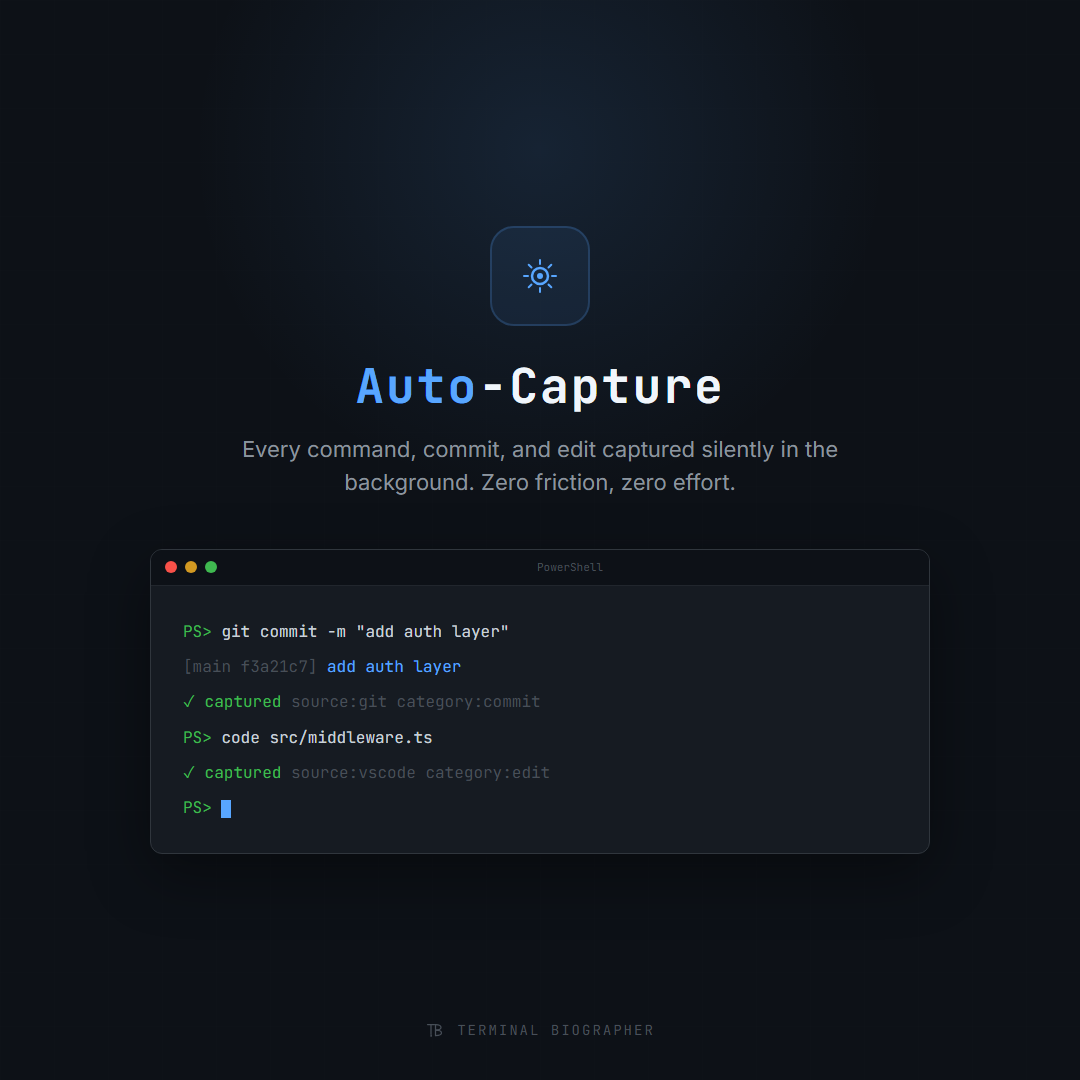
Your workflow, recorded automatically
Terminal Biographer runs silently in the background, capturing every meaningful event from your dev workflow. No manual logging, no copy-pasting, no discipline required.
It hooks into your terminal, your editor, your AI conversations, and your git history to build a complete picture of your day.
- ✓ Terminal commands and output (PowerShell, Bash, Zsh)
- ✓ Git commits, branches, and diffs
- ✓ VS Code file edits and save events
- ✓ Claude, ChatGPT, and Gemini conversations via Share Sheet
- ✓ Manual notes and annotations
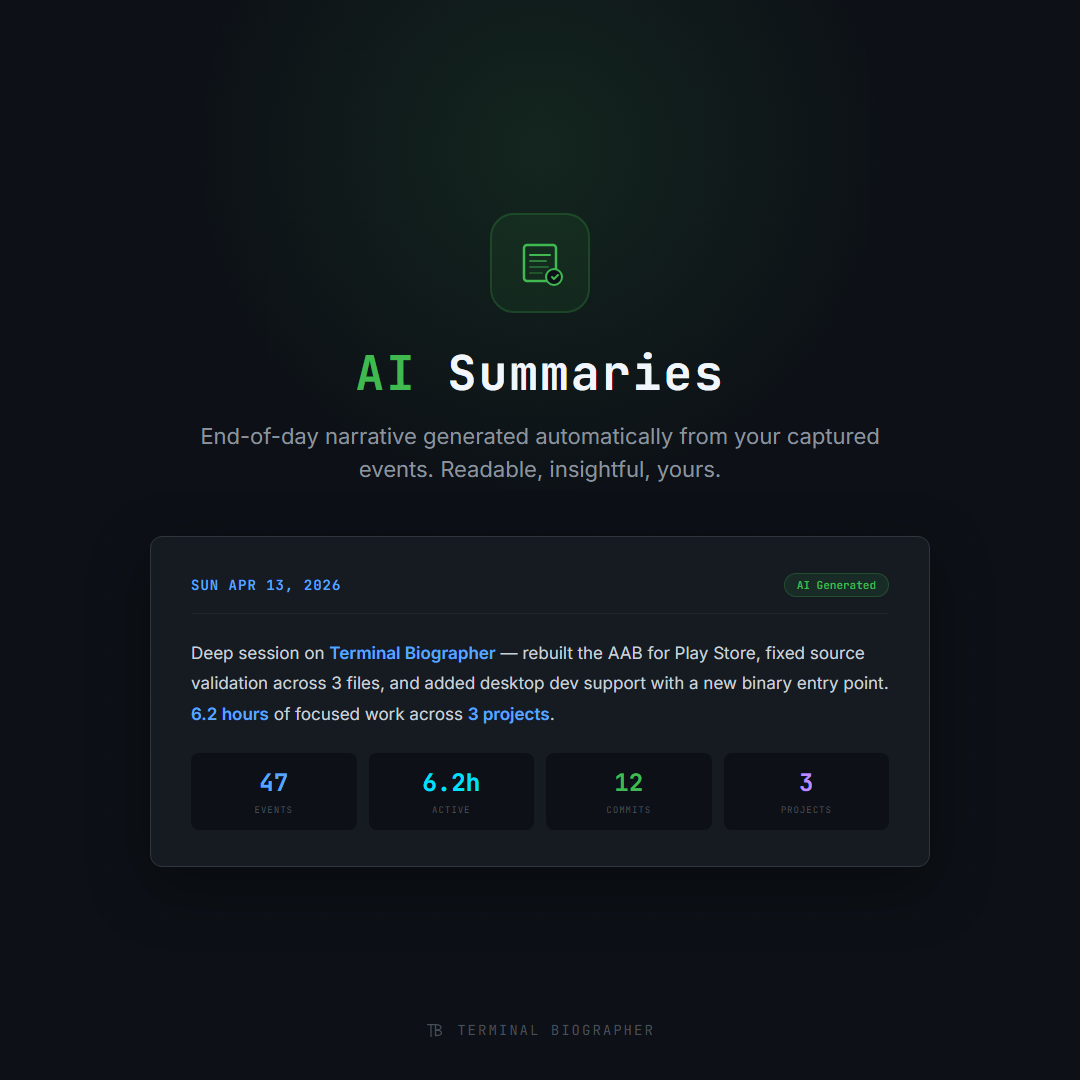
Your day, told as a story
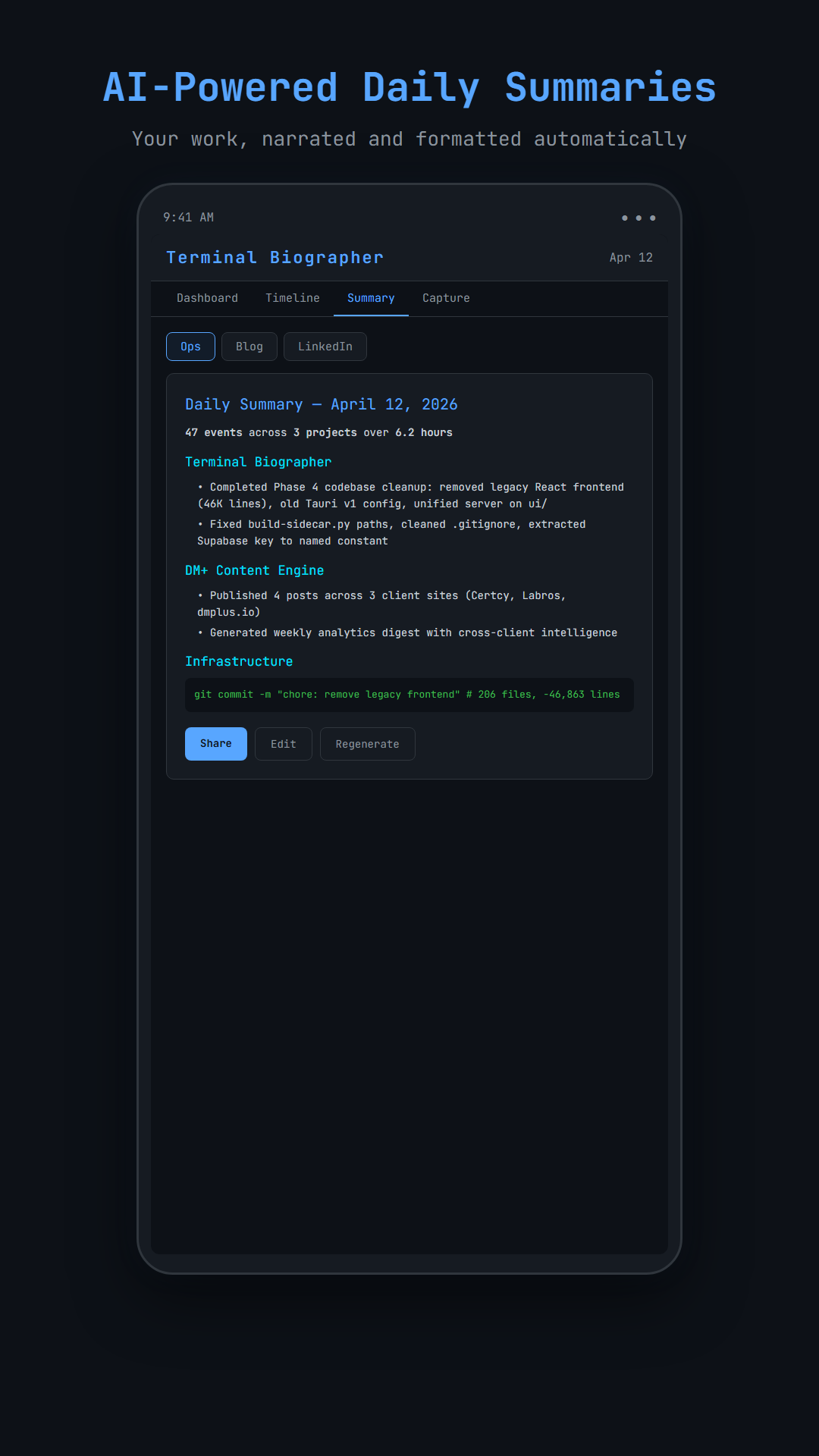
At the end of each day, Terminal Biographer transforms your raw events into a coherent narrative. Not a bullet list of commits. A real story about what you built, debugged, and learned.
The free tier uses smart template-based heuristics with zero API calls. Premium users get natural-language narratives powered by Claude for publication-quality summaries.
- ✓ Free: template-based summaries, completely offline
- ✓ Premium: Claude-powered natural language narratives
- ✓ Split-pane editor with live preview for polishing before sharing
- ✓ Automatic categorization by project, language, and activity type
- ✓ Scheduled auto-generation at end of day (11:59 PM)
Built with Tauri + Rust
A native desktop app that doesn’t eat your RAM. Tauri’s Rust backend keeps Terminal Biographer fast, secure, and lightweight.
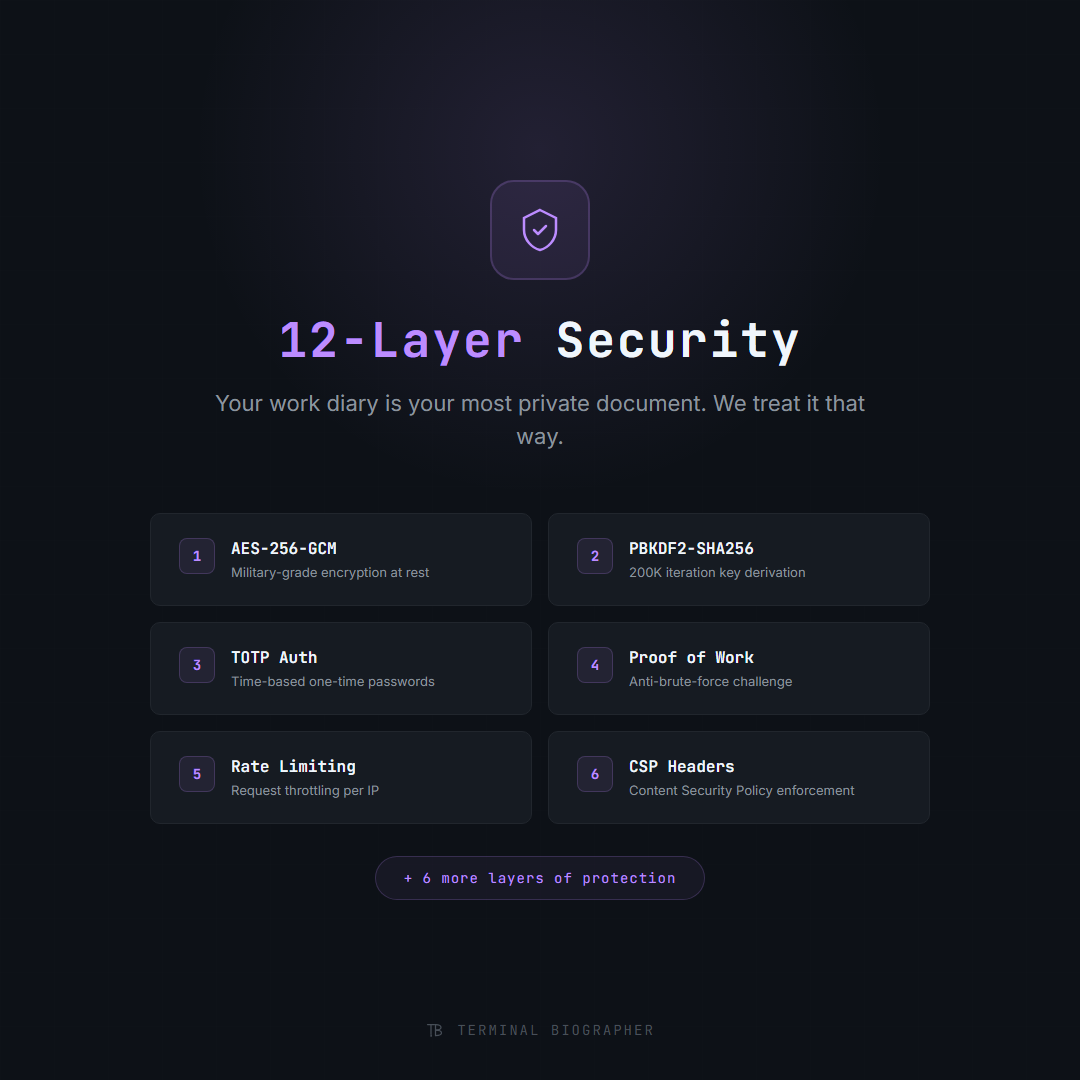
Your data never leaves unencrypted
Terminal Biographer records sensitive data: commands, code, conversations. Every byte is encrypted with AES-256-GCM before it touches disk. Your keys, your data.
Six layers of security work together to protect your workflow data at rest, in transit, and during authentication.
- ✓ AES-256-GCM encryption at rest for all stored events
- ✓ PBKDF2 key derivation with 600,000 iterations
- ✓ TOTP (time-based one-time passwords) for authentication
- ✓ Proof-of-work computational auth barrier against brute force
- ✓ Adaptive rate limiting and CSP headers
- ✓ Self-hostable: keep all data on your own infrastructure
One app, every device
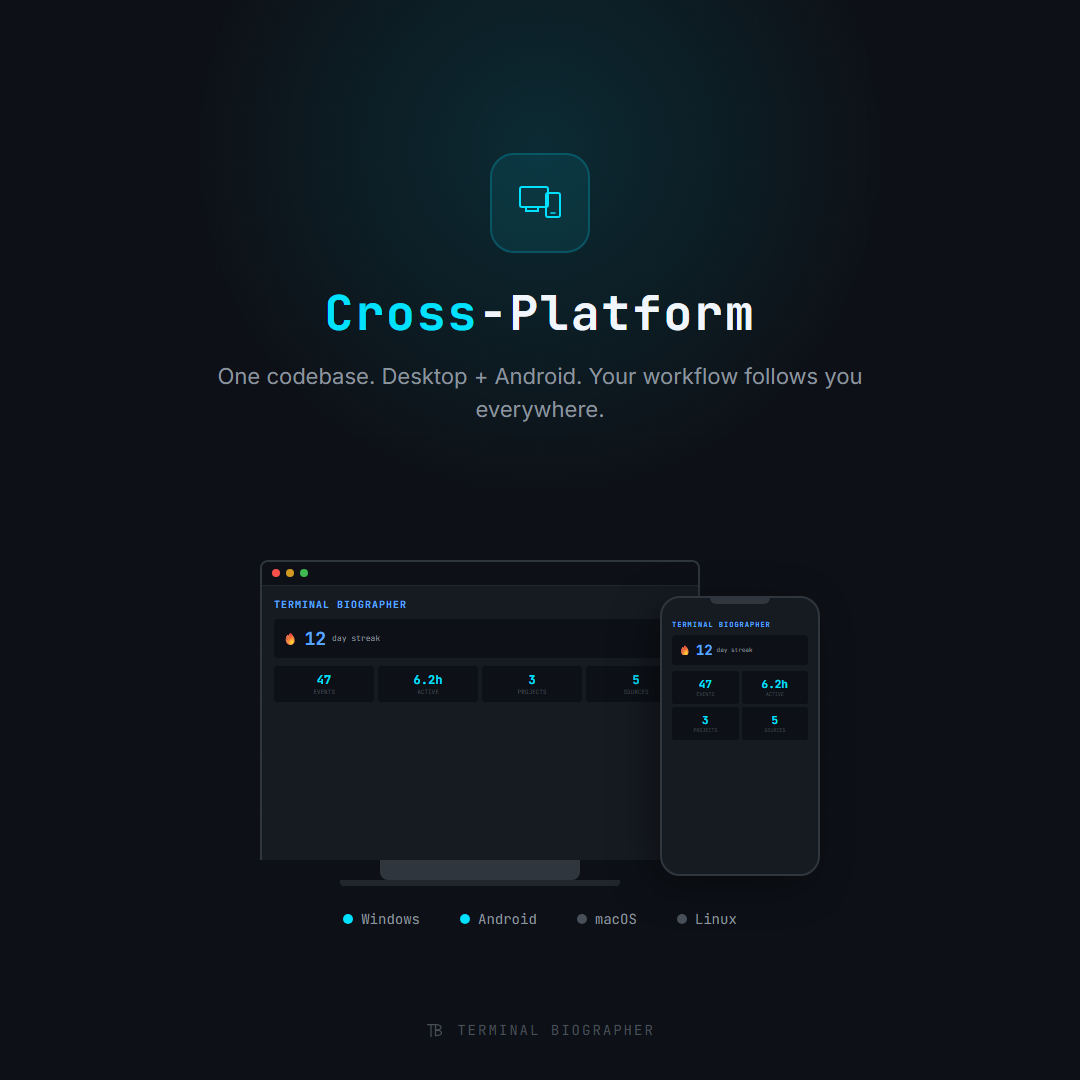
Terminal Biographer runs on Windows, macOS, and Linux desktops via Tauri. On Android, the same unified UI lets you review summaries, capture AI conversations via Share Sheet, and browse your timeline on the go.
All data syncs through Supabase with end-to-end encryption. The desktop captures. The phone reviews. The browser shares.
- ✓ Tauri desktop: Windows, macOS, Linux (under 10 MB)
- ✓ Android mobile: review, annotate, and share on the go
- ✓ Share Sheet: capture from any app (Claude, ChatGPT, Gemini)
- ✓ Supabase sync with full end-to-end encryption
- ✓ Offline-first: works without internet, syncs when connected
Your dev story in your pocket
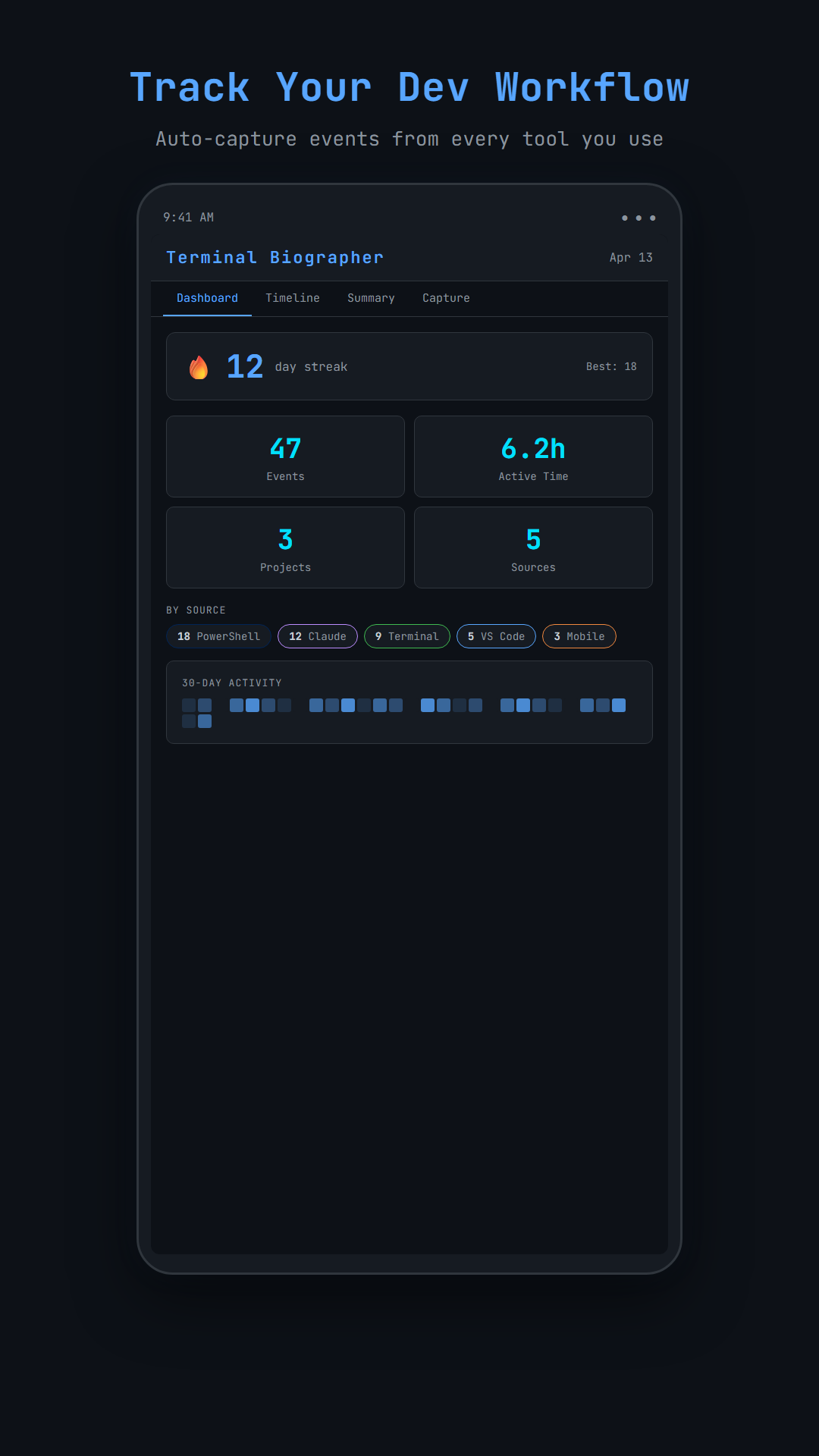
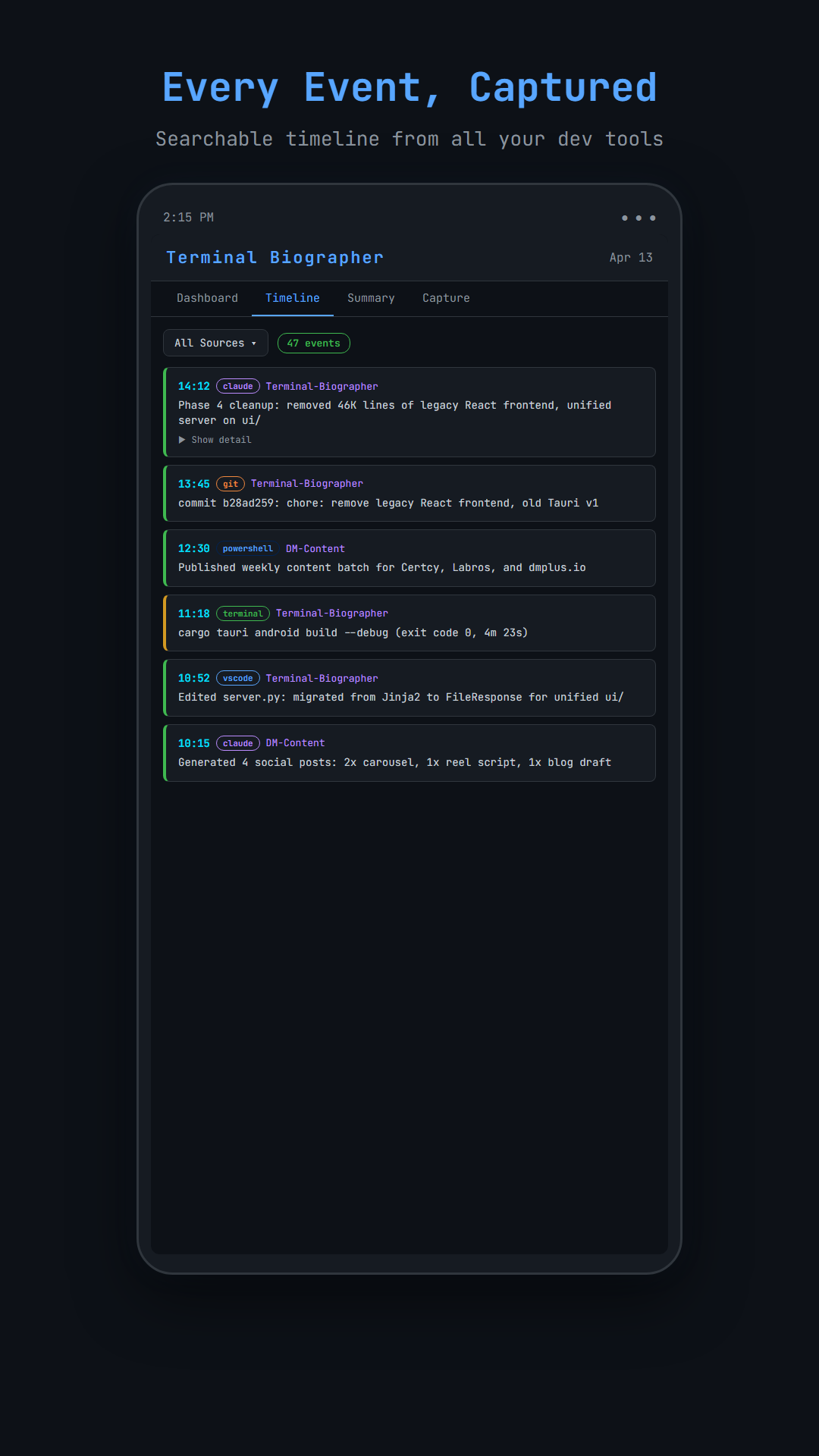
Review summaries, browse your timeline, and share your work directly from your Android device.
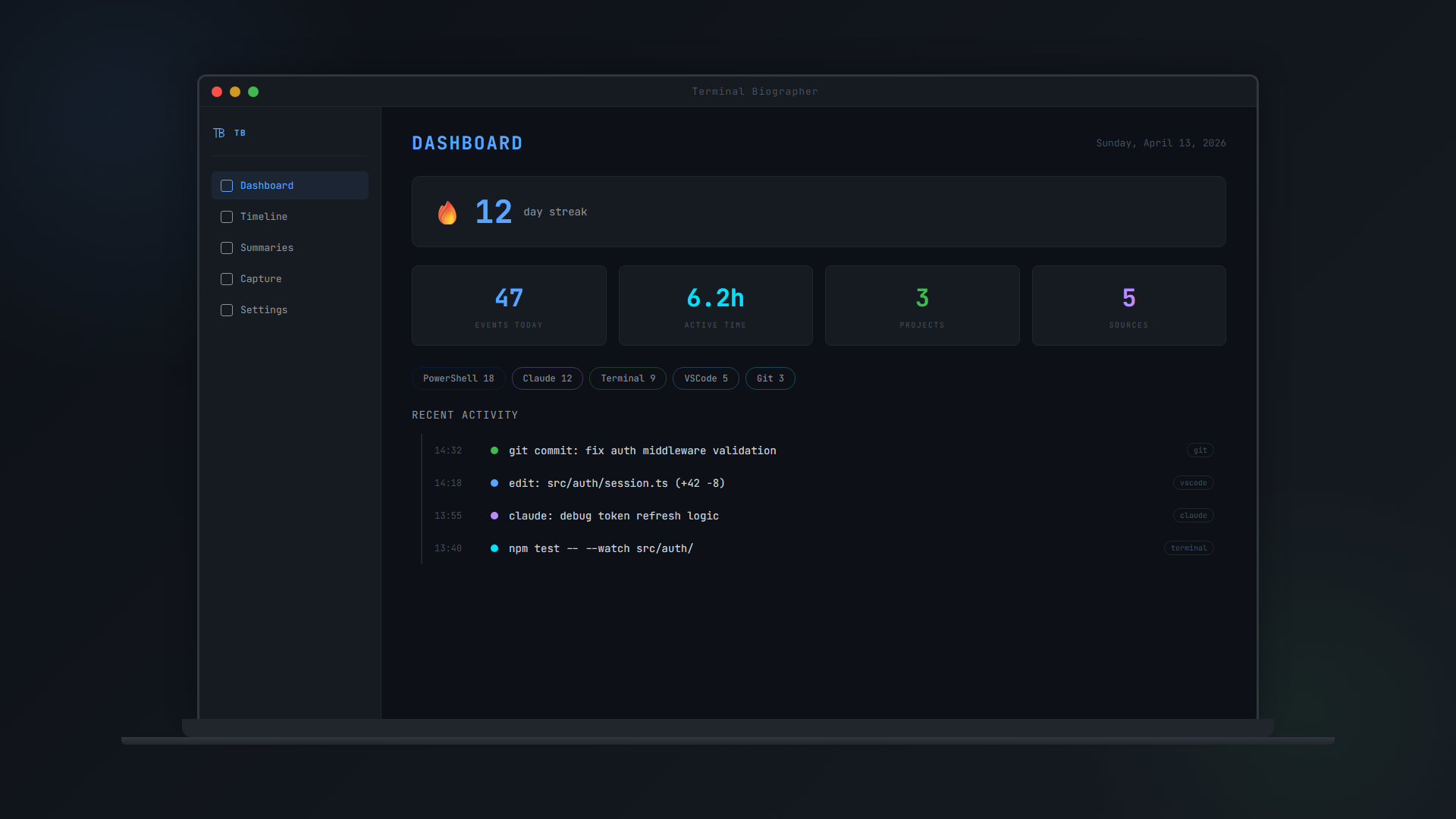
Dashboard
Daily Summary
Event Timeline
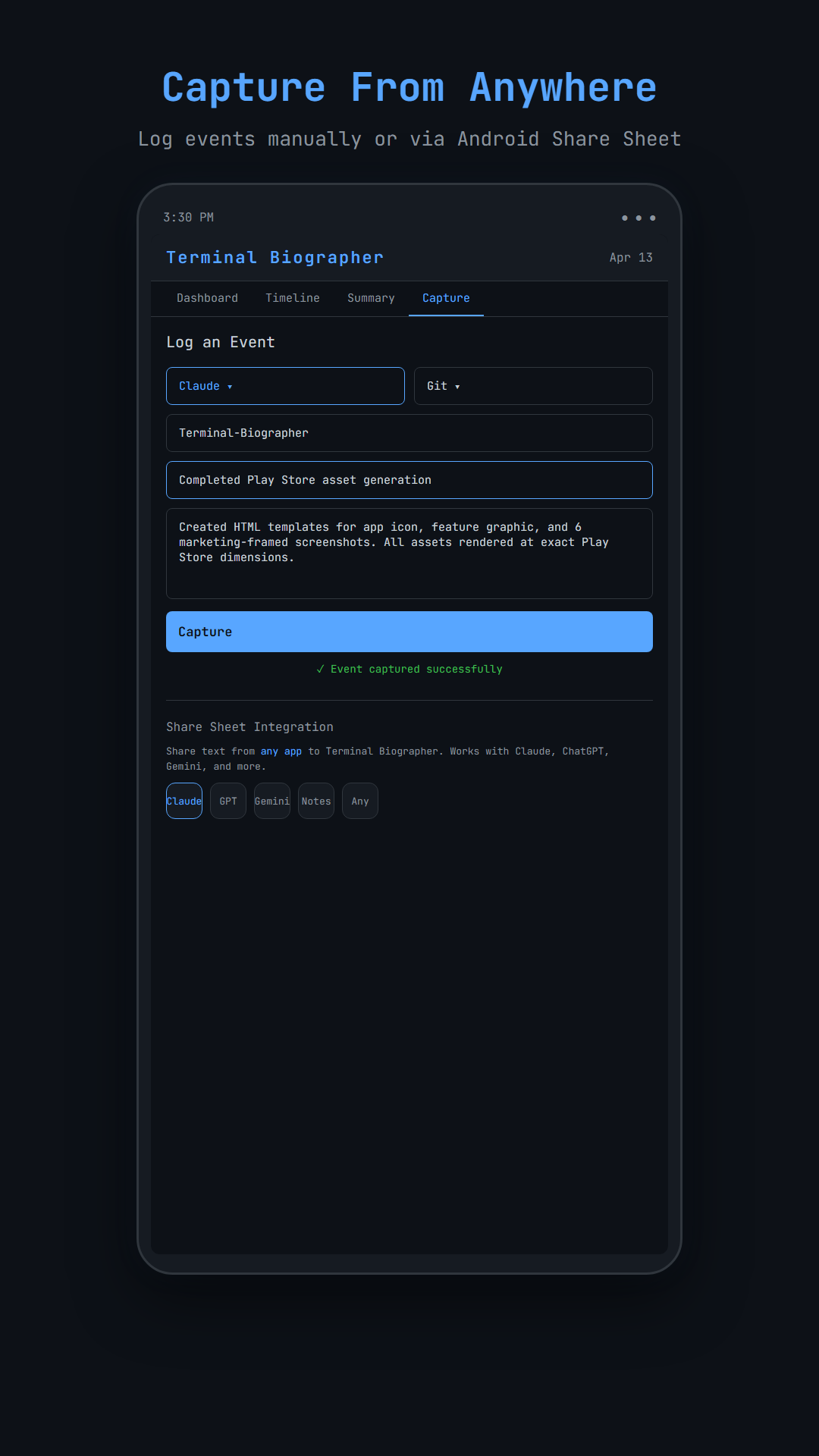
Manual Capture
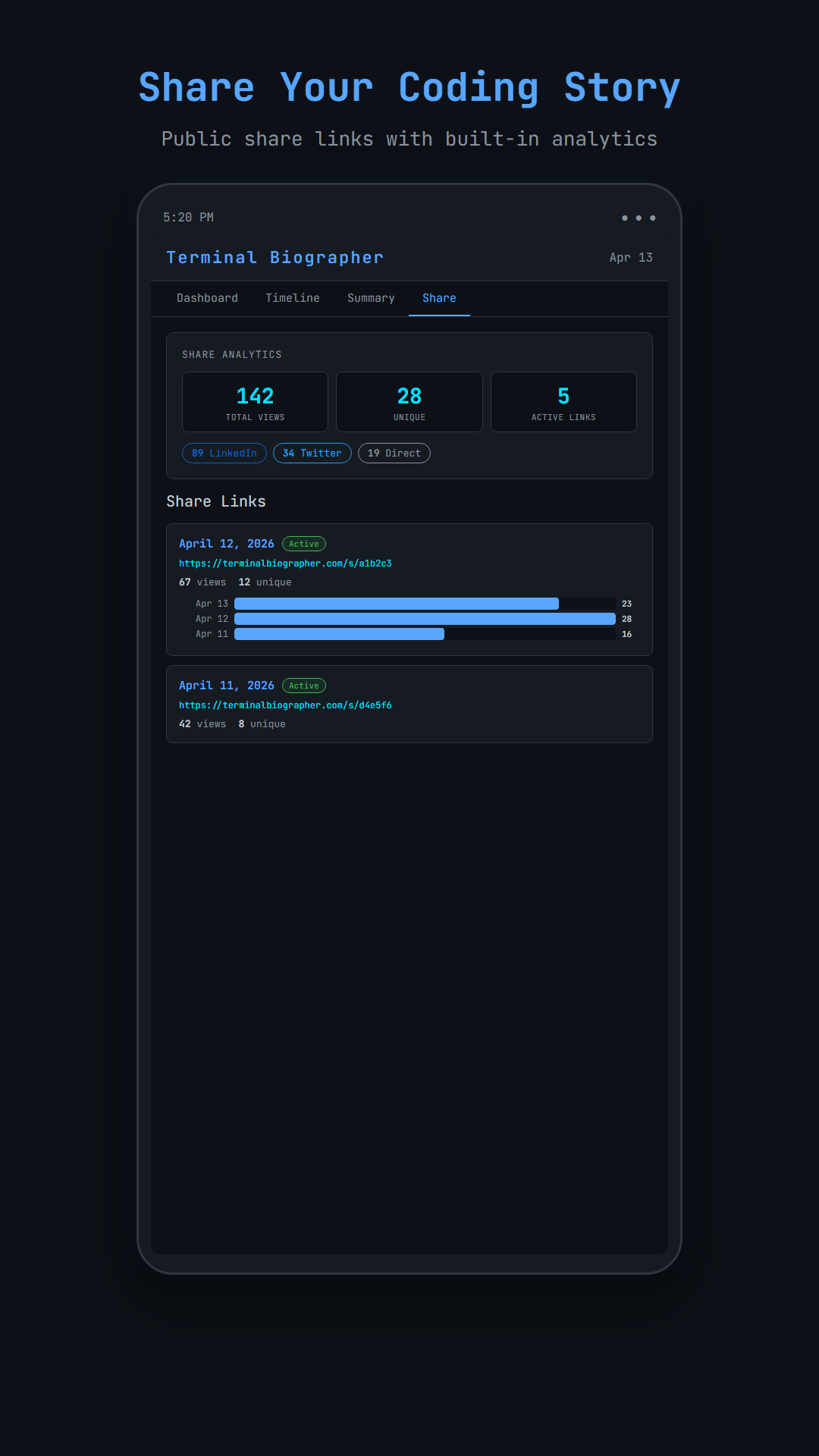
Share Cards
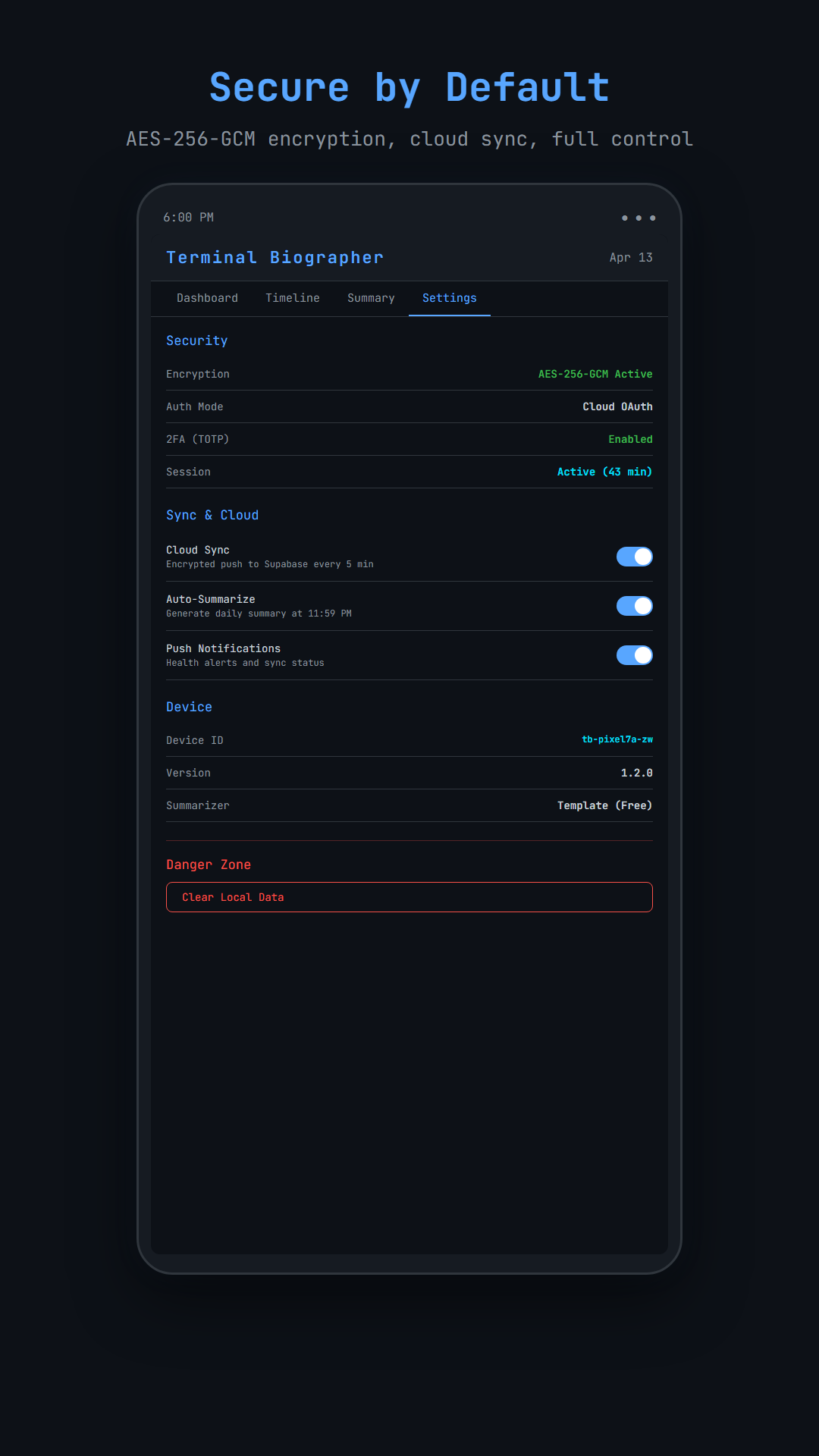
Settings
Every detail, considered
Share Analytics
See who viewed your summaries with platform breakdown, view counts, and a daily engagement timeline.
Streak Tracking
Daily streaks with milestones and longest-run tracking. Gamified consistency that makes documentation a habit.
Summary Editor
Edit AI summaries with split-pane live preview on desktop and stacked layout on mobile before sharing.
Multi-Source
Terminal, PowerShell, VS Code, Claude, ChatGPT, Gemini, manual notes. All unified in one chronological timeline.
Ready to start writing your dev story?
Join the waitlist for early access to Terminal Biographer on desktop and Android.